

Apple today introduced the all-new MacBook Pro with PROLED XDR Display, featuring breakthrough tandem OLED technology that delivers game-changing front-of-screen performance. Available in 14- and 16-inch models, MacBook Pro with PROLED XDR Display offers a visual experience unlike any other, transforming pro workflows with up to 2000 nits peak HDR and SDR brightness, an industry-leading 10,000,000:1 contrast ratio for exceptional detail, a 120Hz variable refresh rate, and a wider color gamut covering both P3 and Adobe RGB for brilliant colors. The new MacBook Pro also introduces intuitive Touch capabilities on the Mac for the first time, opening up a whole new dimension for pros to interact with their content, from manipulating 3D models to playing musical instruments onscreen. The Dynamic Island now comes to Mac, serving as the home for Spotlight, Live Activities, and Siri AI. And with up to 24 hours of battery life in thinner and much lighter 3- and 4-pound designs, MacBook Pro is more portable than ever, empowering pros to take their work wherever inspiration strikes. Featuring M5 Pro and M5 Max, Apple’s most powerful chips ever built for a pro laptop, along with up to 128GB of unified memory and now up to 16TB of blazing-fast storage, the new MacBook Pro delivers speed and capability for the most demanding workflows. An enhanced six-speaker sound system now provides 50 percent deeper bass and remarkable sound clarity for even more immersive audio. And Thunderbolt 5 and a wide array of connectivity, a 12MP Center Stage camera, studio-quality mics, and the power of macOS 27 with Apple Intelligence and Siri AI complete the MacBook Pro experience. It is available to pre-order starting today, October 28, with availability beginning Friday, November 6.
Much digital ink has been—and will continue to be—spilt over Steve Jobs’ 2010 dismissal of touchscreen Macs, when he contended that multitouch trackpads are “the best way we’ve found to get multitouch into a notebook.” And yes, Craig Federighi did declare in 2018 that “lifting your arm up to poke a screen is a pretty fatiguing thing to do.”
First of all, Jobs’ quote was in the context of bringing multitouch gestures from iPhone and iPad back to the Mac, and Federighi’s came after introducing the ability to run iOS apps on Macs, so no fair slagging them about hardware comments made during unrelated software updates.
Second, are we really playing gotcha! with decisions Apple first made sixteen years ago and reiterated eight years later? Do you want to be stuck using MacBooks with Touch Bars and butterfly keyboards? I didn’t think so.
So, welcome touchscreen Macs. We’ve been expecting you.
The Non-Event Event
I was expecting a video featuring John Ternus extolling the virtues of touchscreen Macs, detailing the intricacies of building a touch-enabled OLED, praising the beautiful PROLED XDR Display, and rhapsodizing over the blazing speed of the M5 Pro and M5 Max. We got none of that. What we got instead was a two-minute ad and a press release. That was both unexpected and disappointing, but I suppose it implies that Apple sees this new MacBook Pro as just another spec bump. The choice to keep calling it a “MacBook Pro” further reinforces that theory.
About That Name—Woof
The name isn’t great. It’s practically leaping out from behind a bush, screaming in your face: “MacBook Pro with PROLED XDR Display!” It’s a gangly jumble of uppercase letters colliding inelegantly with each other. “MacBook Neo” this is not. (Apple would have been better off selecting “MacBook Ultra” or even the late entrant “MacBook Studio” instead.) I plan on using “ProLED XDR” when writing about it to lower the volume just a tad. I’m hoping Apple will eventually do the same.
Shrinking
The overall MacBook Pro design hasn’t radically changed. “Thinner” translates into a few (always welcome) millimeters shaved off each dimension, while “much lighter” is a more noticeable weight reduction: 0.4 pound for the 14-inch and 0.7 pound for the 16-inch (nearly 15% less than the 16-inch M6 MacBook Pro).
14-inch MacBook Pro ProLED vs. 14-inch M6 MacBook Pro
| Dimension | Reduced By | % |
|---|---|---|
| Height | 0.02 in. (0.5 mm) | 3.3% |
| Width | 0.07 in. (1.8 mm) | 0.6% |
| Depth | 0.19 in. (4.9 mm) | 2.2% |
| Weight | 0.4 lb (170 g) | 11.8% |
16-inch MacBook Pro ProLED vs. 16-inch M6 MacBook Pro
| Dimension | Reduced By | % |
|---|---|---|
| Height | 0.03 in. (0.8 mm) | 4.5% |
| Width | 0.01 in. (0.2 mm) | 0.1% |
| Depth | 0.15 in. (3.9 mm) | 1.5% |
| Weight | 0.7 lb (320 g) | 14.9% |
A Touch, I Do Confess

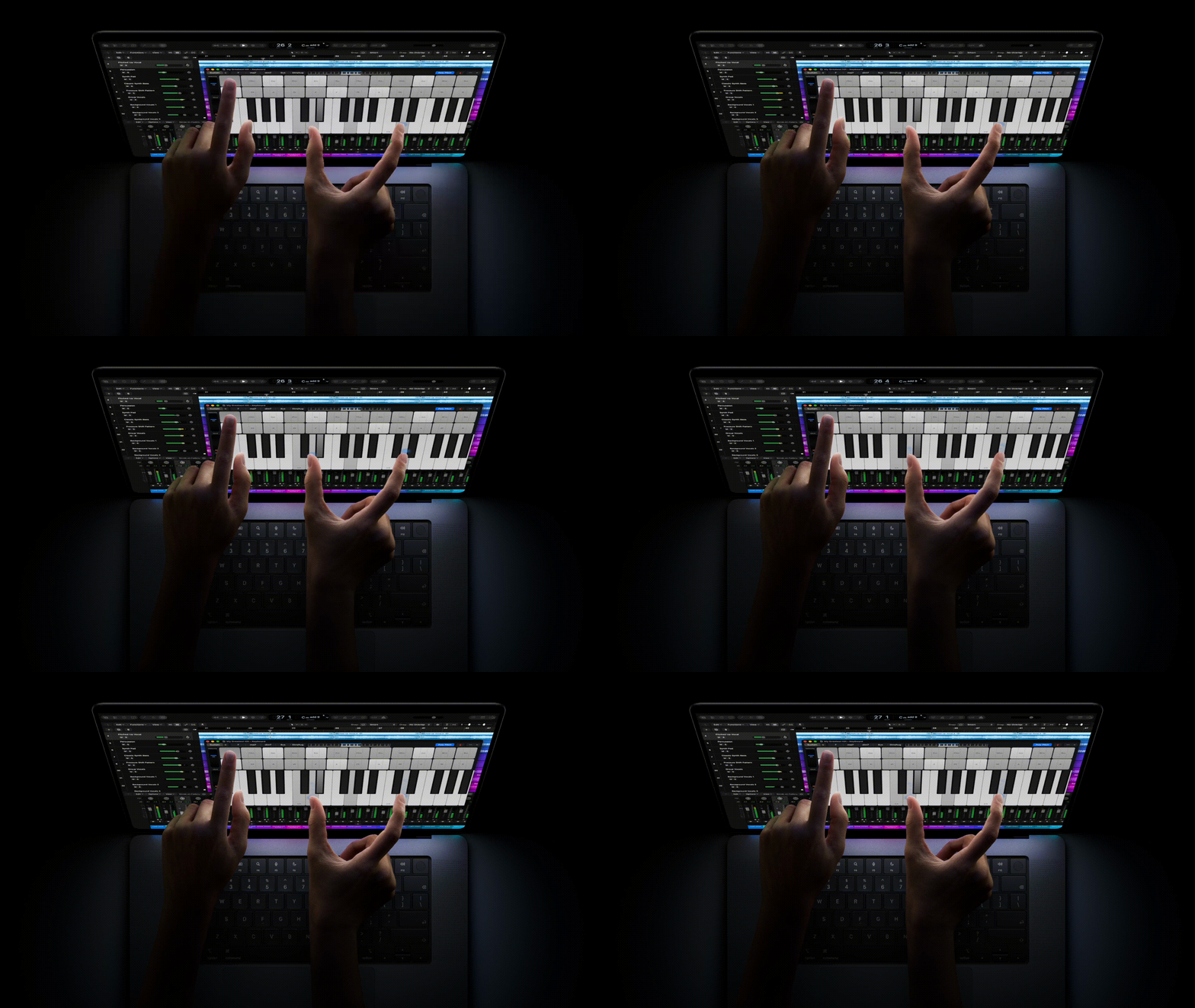
I have seldom wanted to touch my MacBook’s screen. I’ve repeatedly done so accidentally, because after almost twenty years of using an iPhone, it’s become instinctual to reach out and tap to dismiss a dialog or to swipe a page. I curse myself every time I do it, but in those moments, I would have appreciated having a touchscreen.
Is a touchscreen reason enough for me to buy this (or any) MacBook? Lord, no. Not even close.
Am I hoping that touchscreens will eventually come to every MacBook in the lineup as a standard feature, the way a built-in camera is, for those brief interactions? I confess, I am.
I don’t think I’d enjoy using it in the way Apple demonstrates, though, as seen in the above images. Both look extremely awkward. When used on your lap, or otherwise not planted on a flat surface, the MacBook must be grasped or balanced, somewhat precariously, with one hand so you can touch it with the other. Even when firmly situated on a desk, reaching out to interact with the screen forces you to contort your hands into unnatural positions.
Were I in the market for a high-end MacBook Pro—which I most definitely am not!—the MacBook Pro with PROLED XDR Display (ugh) would make a compelling purchase, even without a touchscreen. I currently see touchscreens on a Mac as a nice-to-have, but not a necessity.
Check in with me in a year or two.
Random Bits and Bobs
- Dynamic Island: Apple replaces the notch with the Dynamic Island. It houses Siri, Live Activities, and (at least some) transient notifications. Does this mean I can no longer move my Siri (and Spotlight) window anywhere on the screen? (In a footnote, Apple writes “Spotlight only moves to the Dynamic Island if Siri AI is available and enabled.”) How distracting will Live Activities be on a screen that I’m staring at for hours a day?
- Pricing: The 14-inch ProLED XDR starts at $2,899; the 16-inch model starts at $3,399. Maxed-out configurations would cost $14,249 (14-inch) and $14,549 (16-inch). That includes the nano-texture option ($150), M5 Max (18‑core CPU, 40-core GPU), 128GB memory, and 16TB storage.
- Storage: Base storage is 1TB. Upgrades include 2TB ($500) and 4TB ($1,500). Larger upgrades are available, but require upgrading to the M5 Max (which starts at $4,649 for 36GB memory and 2TB storage): 8TB ($3,000) and 16TB ($7,000). Whew.
- The Light-Up Logo: A post from John Ternus on X teased the return of a light-up Apple logo on the lid, and his follow-up post added more weight. Its reemergence was confirmed by Terrence O’Brien and Antonio G. Di Benedetto at The Verge: “Also exciting is the return of the glowing Apple logo. It’s a seemingly minor feature, but one that definitely got the audience excited during the introduction, and marks the return of a bit of flair to the MacBook lineup, which, let’s be fair, has grown a bit utilitarian-looking over the years. Like the illuminated lid logo from years back, its brightness matches your screen, so it dims and can be fully turned off.” I find this more exciting than anything else. Perhaps next they can bring back the breathing sleep light.